
White Label Flight Booking Engine: A UK Agency Guide
By Travel White Label · Published 9 November 2026 · Updated 9 November 2026
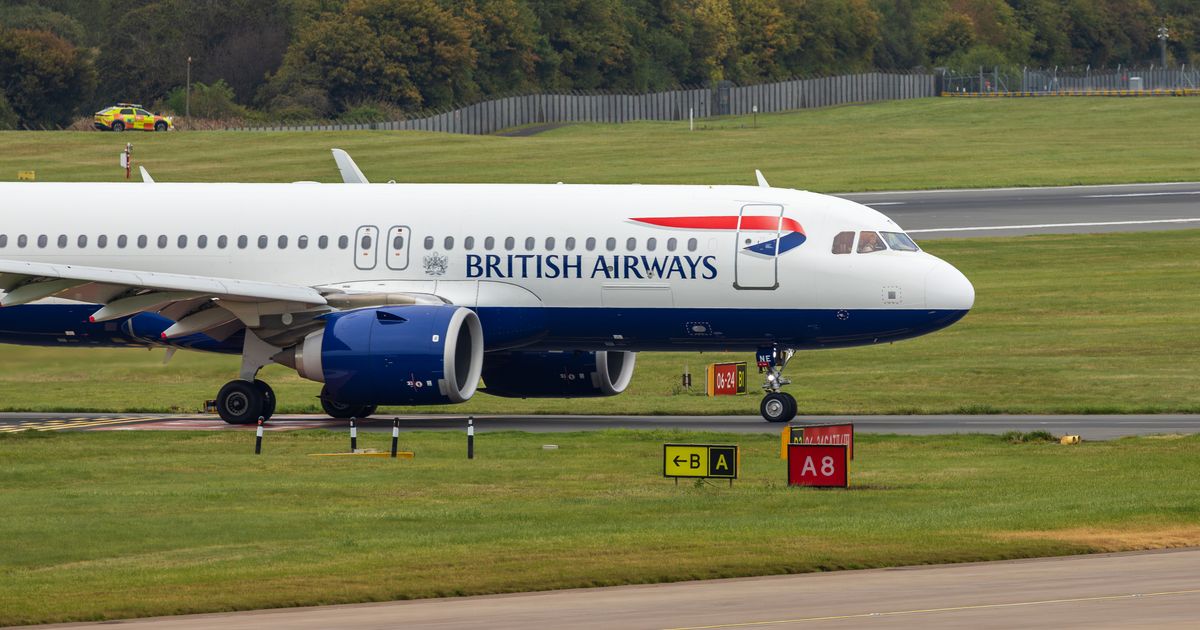
A white label flight booking engine is booking software, run by a technology provider, that lets your agency sell flights on your own website under your own brand. To be worth paying for, it has to do four jobs well: search live fares from GDS, NDC and low-cost sources; show the fare rules and baggage behind every price; turn a chosen fare into a confirmed booking and an issued ticket; and apply your markups so the customer sees one honest, all-in price. You can see how these modules fit together on our white label flight booking engine and B2C travel platform page.
This guide is for UK agency owners and online travel agencies deciding how to sell flights online. It explains each of those four jobs in practical terms, walks through a worked markup example in GBP, sets out the UK rules that apply to flight sales (including ATOL for flight-only bookings) and finishes with a launch checklist. If you are new to selling online, our complete guide to a white label travel website in the UK covers the wider picture. All £ figures below are illustrations, not client data or live fares.
In this guide
What a white label flight booking engine is (and what it is not)
Search: finding fares customers can actually book
Fare rules and baggage: the conditions behind every price
Booking and ticketing: from offer to e-ticket
Markups and the final price: a worked example
Where the flights come from: our suppliers or your own GDS
Launch checklist, key takeaways and FAQs
What a white label flight booking engine is (and what it is not)
A flight booking engine sits between your customer and the airlines' content. It asks one or more content sources for options, prices and displays them, then handles booking, payment and ticketing. "White label" means the provider builds and runs the software while customers only see your brand, domain and prices.
It helps to separate four things that are often bundled together in sales conversations:
The software: search screens, booking flow, customer emails, admin dashboard and markup tools. This is what a white label provider supplies.
The content: the flights themselves, which come from a global distribution system (GDS) such as Amadeus, Sabre or Travelport, from airlines' NDC connections, or from a supplier or consolidator that aggregates them.
The authority to ticket: the commercial right to issue an airline ticket, which belongs to an IATA accredited agent, a consolidator or the supplier you book through, not to the software.
The licence position: whether a sale needs ATOL protection, and whose ATOL covers it. Software never gives you a licence.
When a provider says it "does flights", ask which of the four it means.
Search: finding fares customers can actually book
Search is where customers judge you. A good flight search returns relevant options quickly, shows prices that hold when the customer clicks, and makes comparison easy.
What a good results page shows
The total price for the whole party, alongside a per-person figure where that helps.
Departure and arrival times, journey duration, number of stops and connection times.
The operating airline as well as the marketing airline on codeshares.
Baggage included, and a clear route to the fare conditions before the customer commits.
Where results come from
Most engines combine sources. Sabre's documentation for its Bargain Finder Max shopping API, for example, describes traditional ATPCO fares, NDC content and low-cost carriers in one search, and notes the service needs activation by a Sabre account representative. NDC is IATA's standard for airline offers and orders, which lets airlines send richer offers, such as fares bundled with bags or seats. Our flight module offers live flight search and booking with GDS and NDC connectivity; which airlines you can sell depends on the content source, so ask us in the demo about your key routes.
Displayed price versus bookable price
Results are often built from cached prices. A price only becomes firm when the engine re-prices the exact fare just before booking. If a customer sees £1,528 and that fare class sells out before they pay, the next price may be higher. A good engine re-prices before payment, says clearly if the price has changed and asks the customer to accept it. As our travel API integration page puts it, an integration should distinguish a displayed price from one validated for booking.
Fare rules and baggage: the conditions behind every price
Two fares on the same flight at different prices are rarely the same product. The cheaper one may carry no checked bag, no changes and no refund. Customers who find that out after paying are the ones who complain and raise chargebacks.

What customers need to see before they pay
Baggage: cabin bag and checked bag allowance for each passenger and each flight in the journey.
Changes: whether date or name changes are allowed and what they cost (a change fee plus any fare difference).
Cancellation and refund: whether the fare is refundable, partly refundable (for example, taxes only) or non-refundable.
Fare family or brand: names such as basic, standard or flex, and what each includes.
Restrictions: minimum or maximum stay, booking deadlines and, for some fares, that the outbound must be used for the return to be valid.
Turning airline rules into plain English
Raw fare rules arrive as long, coded text. Travelport's Flights API endpoint list, for example, has separate services for pricing an offer, retrieving standalone fare rules and pricing ancillaries such as bags. The engine should put the key points (bags, changes, refunds) in a short summary next to each fare, with full rules a click away. Ask us in the demo how this looks for the content you plan to sell.
There is a legal reason too. For flights from UK airports, Article 23 of the UK version of regulation (EC) No 1008/2008 says fares offered to the public must include the applicable conditions, and optional extras must be opt-in from the start of booking. So never pre-tick paid seats or insurance.
Booking and ticketing: from offer to e-ticket
Booking and ticketing are where money changes hands and mistakes cost real money. Here is the sequence a flight booking engine should handle:
Select: the customer chooses a fare from the results.
Re-price: the engine confirms the fare is still available at that price and shows any change.
Conditions: the fare rules summary and baggage are shown and the customer accepts them.
Passenger details: names exactly as on the passport, plus dates of birth for children and infants. Many fares do not allow name changes.
Create the booking: in a GDS this is a passenger name record (PNR); in NDC it is an order. Either way, the airline usually sets a ticketing time limit by which the ticket must be issued.
Take payment: through your payment gateway, before or at the moment of ticketing.
Issue the ticket: the airline or ticketing agent issues an e-ticket, normally a 13-digit number linked to the booking.
Confirm: the customer receives the airline booking reference, e-ticket numbers, fare conditions and any protection documents required.
Service: voids, changes, refunds and airline schedule changes after the sale.

Who issues the ticket
A ticket can only be issued by someone with ticketing authority from the airline. The usual routes are:
IATA accredited agent: IATA's travel agent accreditation gives ticketing authority with member airlines and access to the Billing and Settlement Plan (BSP), which handles settlement between airlines and accredited agents. Expect an application, fees and, for some accreditation types, financial security.
Through a consolidator or supplier: the supplier holds the ticketing authority and issues the ticket for the booking you make, which is how many smaller agencies start.
Directly with an airline: under an agency agreement with that airline.
Our flight booking engine covers live search, fare rules and ticketing under your own brand. Ask us in the demo how ticketing, documents and after-sales changes work with our suppliers for the fares you plan to sell.
ATOL and flight-only sales
Selling a flight on its own does not always need an ATOL, but the exemptions are narrow. The CAA's guidance on selling flight-only and on airline ticket agents says an agent may be exempt when it meets all of the conditions, including:
being appointed by the airline as its agent, with a written agreement (IATA accredited agents with the airline's ticketing authority who follow IATA rules do not need a separate written agreement);
dealing directly with consumers, not other agents or travel businesses;
issuing a confirmed ticket immediately on payment, and telling the consumer that it acts as the named airline's ticket agent and that the flight is not protected under the ATOL scheme;
not selling the ticket as part of a package.
So if you take payment and ticket later, or sell flights to other agents through a B2B portal, the airline ticket agent exemptions are unlikely to apply; the CAA says flight-only sales to trade businesses outside an exempt category must be covered by an ATOL. Where a sale is ATOL protected, the CAA's rules on ATOL Certificates require the certificate to be issued immediately on the first payment, naming the business dealing with the consumer as issuer. If you sell as an ATOL holder's agent, read the CAA's guidance on travel trade selling through agents.
If you add a hotel to the flight, you may be creating a package, with extra duties under the package travel regulations; the government's guidance for businesses on package travel explains them.
To be clear about our position: TravelWhiteLabel does not hold an ATOL, and using our software does not give you one. Our suppliers are ATOL and ABTA protected, and you can check any company's membership on ABTA's member search. Whether you need your own ATOL depends on how you trade, so take advice if unsure.
Markups and the final price: a worked example
Flight margins are thin, so markup rules matter. Set them once, let the engine apply them, and show one all-in price.
The rules on price display
The CAA's quick reference guide on pricing flights and holidays (CAP 1014) says the headline price, the first price a customer sees, must include all unavoidable taxes, charges and fees, including fees you add yourself, with a breakdown available. So a markup or service fee cannot appear at the last step.
Worked example (illustrative figures)
A family of two adults and one child books a return flight from London to Dubai. Your content source returns these net prices, including taxes:
Adult fare: base fare £310.00 plus taxes and charges £210.00 = £520.00 each, so £1,040.00 for two adults.
Child fare: base fare £260.00 plus taxes and charges £170.00 = £430.00.
Total net cost: £1,470.00 (base fares £880.00, taxes and charges £590.00).
Your markup rule is £18 per adult, £12 per child and a £10 service fee per booking:
Markup: (2 × £18) + (1 × £12) = £48.00.
Service fee: £10.00.
Price shown from the first results page: £1,470.00 + £48.00 + £10.00 = £1,528.00 for the family.
Gross margin before costs: £58.00 on this booking.
A 4% markup on the same booking gives £58.80, almost the same. The difference shows at the extremes. On a £180 short-haul fare, 4% is £7.20, while the fixed rule gives £28 (£18 markup plus £10 fee), which may push you above competitors on price-comparison sites. On a £4,000 business class fare, 4% is £160, while the fixed rule still gives £28. Many agencies combine the two: a fixed amount per passenger with a percentage on premium cabins. Our guide to travel markup strategy goes deeper on this.
The £58 is gross: card processing fees, any GDS charges under your own contract and refund handling all come out of it.
Look for markup rules by route, airline, cabin and passenger type, with separate rules for trade agents if you have them. Our admin dashboard covers bookings, customers, markups, promotional codes and reporting, and the Scale plan adds markup automation and multi-currency support. For other rule types, ask us in the demo.
Where the flights come from: our suppliers or your own GDS
There are two routes to flight content, and they suit different agencies. Our guide to GDS vs hotel bedbanks explains the wider content landscape.
Route 1: use our suppliers
Cost: no extra charge for using our suppliers.
Protection: our suppliers are ATOL and ABTA protected.
Speed: no need to negotiate your own GDS contract before launch.
Trade-off: fares and conditions are those your supplier can offer; ask us in the demo which airlines and routes are strongest for your market.
Route 2: connect your own GDS
Who it suits: agencies that already hold Amadeus, Sabre, Travelport or Galileo agreements, negotiated fares or their own ticketing authority.
What it involves: your credentials, activation of the right services by your GDS and testing before go-live (Travelport, for example, documents separate pre-production and production endpoints). Our Amadeus API integration guide walks through one GDS.
Cost: charges from your own GDS or payment gateway are not included in our fees.
Trade-off: more control and potentially better fares, but more contracts, more setup and more responsibility for ticketing and servicing.
What it costs with TravelWhiteLabel
Setup fee: none.
Growth, £179 a month: B2C booking portal, admin dashboard, flight and hotel search engines, mobile-responsive design, SSL and hosting.
Scale, £599 a month: everything in Growth plus the B2B portal, markup automation, package builder, multi-currency support and advanced reporting.
Elite, £999 a month: everything in Scale plus custom API integrations, workflow automation, a dedicated account manager and 24/7 priority support.
API access: £999 a month for API access to all our products.
Free beta site: you build and test first; billing starts only at go-live.
Annual option: pay 12 months upfront and get 2 months free. On Growth that is £2,148 for 14 months, about £153 a month.
See all plans and pricing.
Flight booking engine launch checklist
Work through this on your beta site before taking a real payment:
Decide your content route: our suppliers, your own GDS, or both.
Confirm who holds ticketing authority for each fare type you will sell.
Check your ATOL position for flight-only and flight-plus-hotel sales against the CAA guidance.
Set markup rules by route, cabin and passenger type, and preview the sell price on ten real searches.
Confirm the first price shown includes every unavoidable tax, fee and markup, with a breakdown.
Check baggage and change/refund conditions appear next to each fare, and no paid extras are pre-selected.
Test a price change between search and payment and check what the customer sees.
Book and ticket a test itinerary for adult, child and infant passengers, then check the confirmation email.
Check the wording on confirmations: airline ticket agent statement or ATOL Certificate, as your position requires.
Connect your payment gateway and confirm which PCI DSS duties stay with you (see the PCI Security Standards Council's FAQ on outsourced payment processing).
Write your after-sales process: who handles voids, changes, refunds and schedule changes, and how quickly.
Key takeaways
A white label flight booking engine supplies the software; flight content, ticketing authority and any ATOL sit elsewhere, so ask who provides each.
Search must show bookable prices, re-price before payment and flag any change clearly.
Show baggage, change and refund conditions with every fare, and never pre-select paid extras.
The first price a customer sees must include all unavoidable taxes, fees and your markup.
Flight-only sales are ATOL exempt only if every CAA condition is met; TravelWhiteLabel does not hold an ATOL, and our suppliers are ATOL and ABTA protected.
Use our suppliers at no extra cost, or connect your own GDS, whose charges are not included in our fees.
FAQs
What is a white label flight booking engine?
Flight search and booking software that a technology provider builds and runs, and you brand as your own. Customers search and book flights on your website, at your prices, without you building the software.
Do I need an ATOL to sell flights on my own website?
It depends how you sell. Flight-only sales can be exempt if you act as an airline's ticket agent and meet every CAA condition; packages and many other sales need ATOL protection. TravelWhiteLabel does not hold an ATOL; our suppliers are ATOL and ABTA protected. Take advice if unsure.
Do I need IATA accreditation to use a flight booking engine?
Not necessarily. IATA accreditation gives you your own ticketing authority and access to BSP, but many agencies start by selling through a supplier or consolidator that issues tickets for them. Ask us in the demo how ticketing works with our suppliers.
Can I set my own markups on flights?
Yes. The admin dashboard covers markups, and the Scale plan adds markup automation. Whatever rule you use, the markup must be included in the first price the customer sees.
How much does a white label flight booking engine cost with TravelWhiteLabel?
There is no setup fee. Growth is £179 per month, Scale £599 per month and Elite £999 per month, and API access is £999 per month. You start on a free beta site and billing starts at go-live; pay 12 months upfront and get 2 months free. Charges from your own GDS or payment gateway are not included. See plans and pricing.
Sell flights under your own brand
See live flight search, fare rules and ticketing on your own branded site before you pay a penny. Book a demo and start on a free beta site, run your own test searches, and only pay when you go live. There is no setup fee. Compare plans and pricing, or call our East Ham, London E6 team on 020 3432 6375 (Mon-Fri 9:00-18:00) or email [email protected].