
Travel Website SEO: A Beginner's Guide for Agencies
By Travel White Label · Published 2 November 2026 · Updated 2 November 2026
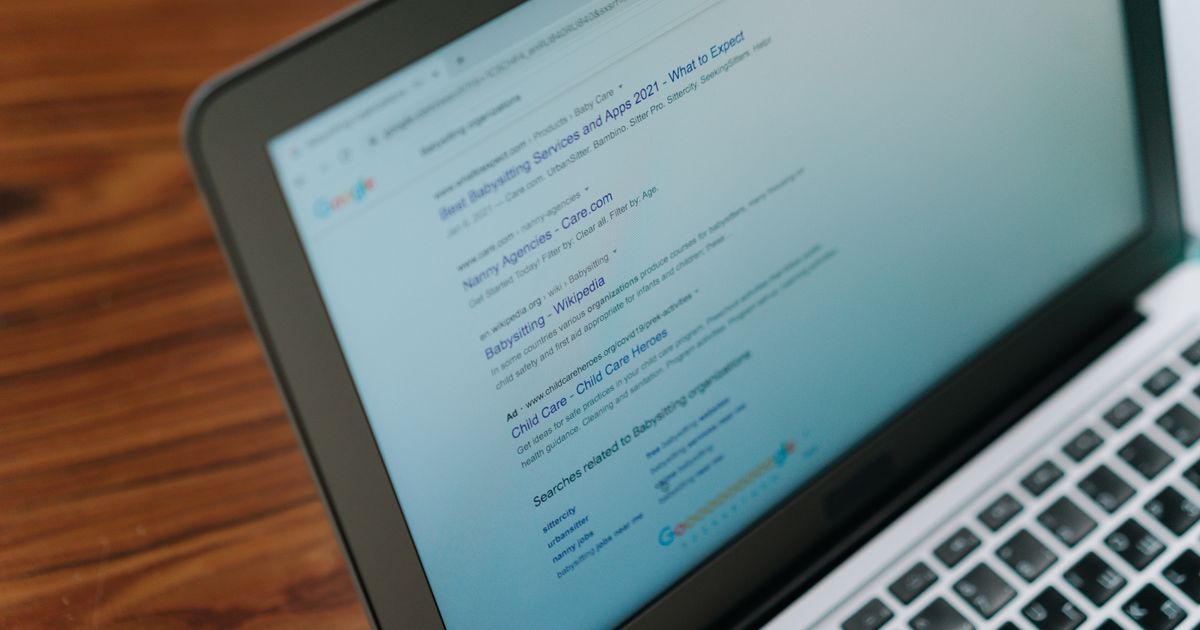
Travel website SEO is the work that helps your agency's pages appear in Google when people search for the holidays, flights and hotels you sell, such as "Dubai holidays from Manchester" or "all-inclusive Turkey October half term". For a UK agency it comes down to a handful of jobs: build useful destination pages that supplier feeds alone cannot give you, stop thousands of search-result URLs from cluttering Google's index, keep pages fast on mobile, add structured data that Google actually uses, and measure what happens in Search Console. None of it is a trick, and none of it is instant: Google's own SEO Starter Guide says some changes "might take effect in a few hours, others could take several months".
This beginner's guide for agency owners uses Google's own documentation and UK guidance. Still choosing a platform? Start with our travel booking engine features checklist.
In this guide
How travel website SEO works, and how to structure your site
Destination pages that deserve to rank: a worked example
Keeping search-result and filter URLs out of Google's index
Page speed and Core Web Vitals on a booking site
Schema for travel agencies (with a JSON-LD example)
Local SEO, reviews and trust signals in the UK
Measuring with Search Console, a 30/60/90-day plan and a checklist
Key takeaways and FAQs
How travel website SEO works, and how to structure your site
Google finds pages through links and sitemaps, chooses which version to index, then ranks indexed pages. Google's guidance on helpful, reliable, people-first content says its ranking systems are designed to prioritise information "created to benefit people, and not content that's created to manipulate search engine rankings".
A travel booking site usually needs five kinds of page, each targeting a different kind of search:
Homepage. Your brand and what you sell. It mostly ranks for your name.
Destination hubs. One strong page per destination you genuinely sell, for example /holidays/dubai or /holidays/turkey.
Departure pages. For example "Dubai holidays from Manchester", only where airlines, flight times or prices really differ.
Holiday-type pages. All-inclusive, family, honeymoon, Umrah: whatever you are known for.
Guides. Questions people ask before booking, such as the best month to visit.
Use short, readable URLs. The starter guide notes that parts of the URL "can be displayed in search results as breadcrumbs", so /holidays/dubai/from-manchester tells both people and Google what the page is. Link hubs, departure pages and guides to each other. Google needs crawlable links, which means real <a href> links rather than buttons that only work with JavaScript.
The trade-off: coverage vs doorway pages. It is tempting to create "Dubai holidays from" pages for 20 UK airports. Google's spam policies list "multiple domain names or pages targeted at specific regions or cities that funnel users to one page" as doorway abuse, and also warn about scaled content abuse, where many pages are produced "for the primary purpose of manipulating search rankings and not helping users". Fewer, better pages beat many near-copies.
Destination pages that deserve to rank: a worked example

Most white-label and supplier-fed sites start with the same hotel descriptions, photos and star ratings as every other agency using that supplier. Google's spam policies describe "thin affiliation" as content "copied directly from the original merchant without any original content or added value". Supplier content is fine on hotel pages, but destination pages need what only you can add: knowledge, prices and opinion.
Here is an outline for a page targeting "Dubai holidays from Manchester". Treat each item as a section, and only include facts you have checked.
Title tag: "Dubai Holidays from Manchester | [Your Agency]". Google's title link guidance asks for descriptive, concise titles that are unique to each page.
Meta description: one or two sentences on what the page offers, such as hotel areas, package types and how to book. Google's snippet guidance treats it as a summary, not a ranking lever.
H1 and intro: who the page is for, with a search box pre-set to Manchester and Dubai.
Flights from Manchester: which airlines currently fly the route, direct or via a hub, typical flight times and baggage. Check schedules each season.
Where to stay: two or three paragraphs on areas such as Downtown, Dubai Marina and Palm Jumeirah, with your hand-picked hotels for families, couples and budget travellers.
Prices: "from" prices with the date checked and what they include. More on price display below.
When to go: weather, school holidays and price peaks, from your own sales experience.
Before you travel: point to the official Foreign, Commonwealth & Development Office travel advice for the UAE rather than copying rules that change.
Protection and how booking works: how payment and financial protection work for this booking, stated accurately.
Short FAQ: real questions your team gets asked.
Links: up to the Dubai hub, across to "Dubai holidays from London" (if that page has its own content), and out to your best Dubai guide.
Add images with descriptive alt text; the starter guide calls alt text "a short, but descriptive piece of text that explains the relationship between the image and your content".
Keeping search-result and filter URLs out of Google's index
A booking engine can create a new URL for every search: each date, airport, passenger mix, board basis and sort order, showing prices that expire within hours. Crawling them wastes Google's time on pages that should never rank.
Google's documentation gives you the tools:
Block crawling of filter and results URLs. Google's faceted navigation guidance says that "oftentimes there's no good reason to allow crawling of filtered items", and shows robots.txt rules that disallow parameter URLs. It also says to return a 404 status "when a filter combination doesn't return results".
Use canonical tags for duplicates. Google's guide to consolidating duplicate URLs calls rel="canonical" "a strong signal" and recommends a self-referencing canonical on the main page. Tracking parameters such as ?utm_source= should point back to the clean URL.
Use noindex for pages people need but search engines don't, such as basket, checkout and account pages. Note Google's warning in its noindex documentation: the page "must not be blocked by a robots.txt file", or Google will never see the noindex rule.
List only canonical pages in your XML sitemap: hubs, destination and variation pages, hotel pages you want found, and guides. No search results.
The trade-off: robots.txt saves crawling but cannot remove a page that is already indexed; noindex removes it but only works if Google can still crawl the page. A common sequence is noindex first, then robots.txt once pages drop out. Ask your platform provider how its results URLs are built and which of these controls you can set yourself.
Page speed and Core Web Vitals on a booking site
Google's Core Web Vitals documentation sets three targets for a good user experience:
Largest Contentful Paint (LCP): loading, within 2.5 seconds of the page starting to load.
Interaction to Next Paint (INP): responsiveness, under 200 milliseconds.
Cumulative Layout Shift (CLS): visual stability, a score under 0.1.
INP is the newest of the three. The web.dev team's launch post, dated 12 March 2024, confirms that INP replaced First Input Delay (FID) as a Core Web Vital, so ignore older guides that still talk about FID. Google's page experience guidance is clear that good scores do not replace helpful content.
Where travel sites usually lose speed:
Huge hero images. A full-width destination photo is often the LCP element. Serve it at the size it is shown, in a modern format, and don't lazy-load the first image. See web.dev on optimising LCP.
Live prices on landing pages. Calling suppliers on every page view slows pages down and makes prices flicker. A fast static page with "from" prices (date-stamped) and a search box usually beats a slow page of live results.
Heavy search widgets and date pickers. Lots of JavaScript hurts INP: the calendar opens late, or taps feel ignored. Test on a mid-range phone.
Layout shift. Cookie banners, chat widgets and late offers push content around. Reserve space for them.
Cookie banners are also a compliance question. The ICO finalised its guidance on storage and access technologies (cookies and similar) in April 2026, following the Data (Use and Access) Act 2025. It includes a "statistical purposes" exception for some analytics, but only with clear information and an easy way to object, and it does not cover advertising or tracking individuals. Measure speed with PageSpeed Insights and the Core Web Vitals report in Search Console, which uses data from real visitors.
Schema for travel agencies (with a JSON-LD example)
Structured data is code that labels what is on a page so search engines understand it. Google's introduction to structured data recommends JSON-LD in most cases, and its general guidelines say Google "does not guarantee that your structured data will show up in search results", even when it is correct.
What is worth adding for a UK travel agency in 2026:
Organization on your homepage: legal name, logo, URL, contact details and social profiles.
LocalBusiness, using the more specific schema.org TravelAgency type, if you have a real office that customers can visit.
BreadcrumbList on destination and hotel pages. Google's documentation says breadcrumb display is now available on desktop results, not mobile, but it still helps describe your site structure.
TouristTrip and TouristDestination. schema.org defines TouristTrip and TouristDestination, which describe itineraries and places well. Google does not list a rich result for them in its search gallery, so add them for clarity, not for a visual feature.
A common mistake to avoid: FAQ markup is no longer worth chasing. Google's Search Central changelog records that the FAQ rich result stopped appearing from 7 May 2026 and its documentation was removed. Keep FAQs on your pages because customers read them, not for a search feature.
A minimal TravelAgency example (replace every value with your own real details):
<script type="application/ld+json">
{
  "@context": "https://schema.org",
  "@type": "TravelAgency",
  "name": "Example Travel Ltd",
  "url": "https://www.example.com/",
  "logo": "https://www.example.com/logo.png",
  "telephone": "+44 161 000 0000",
  "address": {
    "@type": "PostalAddress",
    "streetAddress": "1 Example Street",
    "addressLocality": "Manchester",
    "postalCode": "M1 1AA",
    "addressCountry": "GB"
  },
  "sameAs": ["https://www.facebook.com/exampletravel"]
}
</script>
Only mark up what is visible on the page, then test with Google's Rich Results Test and the Schema Markup Validator.
Local SEO, reviews and trust signals in the UK
Local searches such as "travel agent near me" depend heavily on your Google Business Profile. Google's Business Profile guidelines are strict:
Your name "should reflect your business's real-world name"; adding keywords such as "Cheap Dubai Holidays" to it is not allowed.
A virtual office "isn't eligible for a Business Profile", and a co-working space only qualifies if it has signage, is staffed and receives customers during business hours.
An agency that serves customers at their location without a public office should set up as a service-area business and hide its address.
Reviews help, but the rules changed. Under the Digital Markets, Competition and Consumers Act 2024, the CMA's fake reviews guidance (CMA208) explains that, from 6 April 2025, fake reviews and reviews that hide an incentive are banned, and businesses that publish reviews must take reasonable steps to prevent and remove them. Never write or buy reviews, and disclose any incentive.
Price display matters too. The CMA's price transparency guidance (CMA209) covers mandatory fees and "drip pricing", where charges are added as the customer goes through booking. "From" prices on SEO landing pages should include unavoidable charges, so the price someone clicks on is a price they can actually book.
Finally, trust badges. The CAA's ATOL Standard Term 1 guidance requires ATOL holders to show their name, ATOL number and logo on websites. If you sell as an agent of another ATOL holder, say whose protection applies rather than showing the logo as if it were yours. ABTA says its logo can only be used with ABTA's express permission, and it publicly lists businesses using it without permission.
Measuring with Search Console, a 30/60/90-day plan and a checklist
Set up Google Search Console before you change anything, so you have a baseline. The Performance report shows clicks, impressions, click-through rate and average position, by query and by page. Look for pages with many impressions but few clicks (rewrite the title) and queries where you sit on page two (improve and link to that page). The starter guide suggests waiting "a few weeks" before judging whether a change worked. Running price ads on comparison sites? See our guide to meta search for travel agencies.
A 30/60/90-day plan
Days 1-30: foundations. Verify Search Console and submit your sitemap. List your top 10 destinations by revenue. Check that search-result, basket and checkout URLs are handled with noindex, canonicals or robots.txt. Run PageSpeed Insights on your homepage and three key landing pages. Claim or tidy your Business Profile. Add Organization schema.
Days 31-60: content. Rewrite your top five destination hubs using the worked outline above. Add one departure-airport page only where the content really differs. Fix the largest speed problems, usually images and third-party scripts. Add breadcrumbs and internal links between hubs, variations and guides.
Days 61-90: review and expand. Compare Search Console data with your baseline. Improve titles on pages with high impressions and low CTR. Publish two or three guides answering questions your sales team hears every week. Ask every customer for a review after their trip.
Travel website SEO checklist
Search Console verified, XML sitemap submitted, containing only canonical pages
One destination hub per destination you actually sell, with original content
Departure pages only where flights, prices or advice really differ
Unique title and meta description on every indexable page
Search-result, filter, basket and checkout URLs kept out of the index
LCP under 2.5 seconds, INP under 200 milliseconds, CLS under 0.1 for most real visits
Cookie set-up checked against current ICO guidance
Organization, BreadcrumbList and (where you have an office) TravelAgency schema, tested
Business Profile name, address and category follow Google's guidelines
Genuine reviews only, with a written policy for preventing fake ones
"From" prices include mandatory charges and show the date checked
ATOL and ABTA details shown accurately, logos only where you are entitled to use them
This is general guidance, not legal advice.
Key takeaways
Travel website SEO rewards original, helpful destination pages, not copies of supplier feeds or dozens of near-identical city pages.
Keep booking-engine search results and filters out of Google's index with robots.txt, canonicals and noindex, used in the right order.
Aim for LCP under 2.5 seconds, INP under 200 milliseconds and CLS under 0.1; INP replaced FID in March 2024.
Use Organization, BreadcrumbList and TravelAgency schema for clarity; FAQ rich results stopped appearing in May 2026.
Follow Google's Business Profile rules, the CMA's rules on fake reviews and drip pricing, and show ATOL and ABTA details accurately.
FAQs
How long does travel website SEO take to work?
Google says some changes show in hours and others take several months. Judge new pages in Search Console over weeks and months, not days.
Can I use my supplier's hotel descriptions on my website?
Yes, for hotel detail pages customers need, but don't rely on them to rank. Google's spam policies warn about pages copied from the original merchant "without any original content or added value". Your destination pages need your own knowledge, advice and prices.
Should I create a landing page for every UK departure airport?
Only where you can say something different and useful for that airport, such as airlines, flight times, prices or transfers. Near-identical city pages risk being treated as doorway pages.
Do I still need FAQ schema in 2026?
No, not for Google features. Google stopped showing FAQ rich results from 7 May 2026. Keep helpful FAQs on the page for customers, and put your schema effort into Organization, BreadcrumbList and TravelAgency markup.
Does TravelWhiteLabel help with SEO?
All our plans list an SEO-ready structure, alongside mobile-responsive design, hosting and SSL; blog management and unlimited pages are available as add-ons. Ask us in a demo how specific controls such as canonicals, noindex and sitemaps work on your site. Plans are Growth £179, Scale £599 and Elite £999 per month, with no setup fee. See plans and pricing.
Build a travel website that is ready for search
TravelWhiteLabel gives UK agencies, tour operators, OTAs and consolidators a white-label booking website under their own brand. Sell flights, hotels and packages from our suppliers at no extra cost; those suppliers are ATOL and ABTA protected. There is no setup fee, you start on a free beta site, billing only starts at go-live, and paying 12 months upfront gets you 2 months free. Compare plans and pricing, start on a free beta site, or call our East Ham, London team on 020 3432 6375 (Mon-Fri 9:00-18:00) or email [email protected].