
Sabre API Integration: Options for UK Agencies
By Travel White Label · Published 25 November 2026 · Updated 25 November 2026
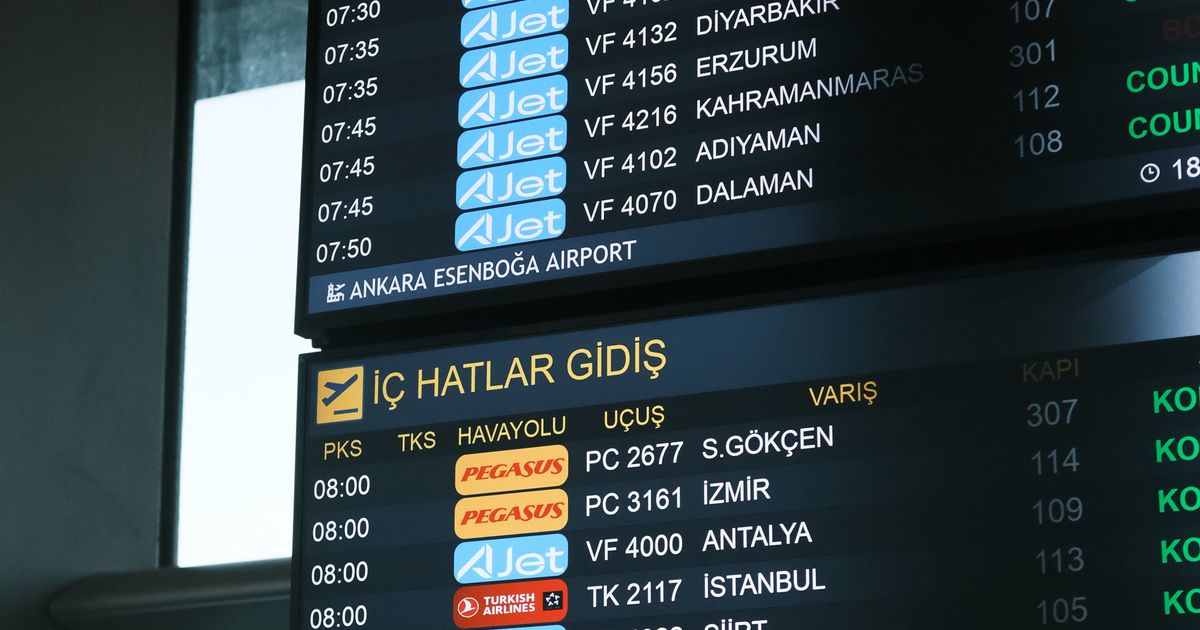
A Sabre API integration connects your travel website to Sabre's flight content so customers can search, price, book and receive tickets without anyone retyping a booking. For a UK agency there are two practical options. You can sign your own agreement with Sabre, receive your own pseudo city code (PCC) and API credentials, and plug them into your booking platform. Or you can launch on a platform that already has supplier connections and sell through those suppliers instead. There is also a middle option: you book in your own Sabre office and a consolidator issues the tickets. See how we scope a Sabre API integration through our travel API integration service, then use this guide to choose your route.
This guide goes deeper on Sabre than our overview of GDS integration across Amadeus, Sabre and Travelport. Sabre's developer pages, CAA, GOV.UK and PCI SSC pages were checked on 25 November 2026. Every number in the worked examples is illustrative, and nothing here is legal or financial advice.
In this guide
Your two routes: own PCC or our suppliers
What you need from Sabre before a line of code
The Sabre booking flow your website runs
Scan charges and search volumes: an illustrative worked example
Testing, CERT and going live
Ticketing, ATOL and card payments in the UK
Connecting Sabre to your site, step by step
Your two routes: own PCC or our suppliers
The first question is who holds the contract with Sabre. Everything else follows.
Route 1: your own Sabre PCC
Suits: agencies that already use Sabre in the back office, hold negotiated or private fares loaded to their PCC, or have their own ticketing arrangement.
What you get: your own fares and settings on your website, bookings in your own Sabre office, and a direct relationship with your Sabre account team.
What you take on: a Sabre agreement, an API order, credential management, Sabre's charges under your contract (not included in our fees), and responsibility for ticketing and after-sales.
Route 2: use our suppliers
Suits: agencies launching flights online for the first time, testing a new market, or not ready to sign a GDS contract.
What you get: content through our existing supplier connections at no extra cost. Our suppliers are ATOL and ABTA protected.
Trade-off: less paperwork, but you sell the fares those suppliers offer. Ask us in the demo which airlines and routes are strongest for your market and how ticketing and changes work.
The middle option: book in your PCC, ticket through a consolidator
Some agencies have a Sabre office but no ticketing authority, so a consolidator issues their tickets. Moving work between two Sabre offices needs permissions on both sides. Sabre's Change AAA documentation says that to work in another PCC, "both branch and AAA access must be open between the two locations", and the user profile needs a specific keyword; without them the system returns "NOT ALLOWED THIS CITY". Its Create Passenger Name Record API can also create a booking in a different target PCC. Get the consolidator to confirm in writing which PCC your website books in, which PCC tickets, and who opens the access.
Our GDS vs hotel bedbanks guide covers content choices, and our Amadeus API integration guide covers the same decision for Amadeus.
What you need from Sabre before a line of code
Sabre's New to Sabre guide sets out the commercial path: agree terms with your account team, receive an SC code and a PCC, place an API order, then go live with a permanent password. The practical details matter.
Test credentials are not production credentials
Anyone can sign in to Sabre's Developer Hub and get test credentials from the Applications page. Sabre's password management guide says these "are not permanent, and only allow you to access the publicly-available REST APIs in our certification environment". A current Sabre customer is told to use the credentials issued by its account manager instead. Sabre also says OAuth v2 is recommended for testing, while production needs OAuth v3, with a client ID and secret from your account manager.
Your PCC (or iPCC) and robotic EPR
Your API connection signs in as a robotic Employee Profile Record (EPR), not as a member of staff. The same guide notes that "whether or not you are issued a PCC or iPCC depends on your type of travel agency", and that where an agency has several PCCs or EPRs, "these credentials are often granted unique permissions". If an API in your contract will not respond, Sabre's first check is whether you are using the right PCC and EPR.
The API order itself
Sabre's quick reference guide to ordering Sabre APIs (edition 1.1, September 2024) shows what an agency fills in:
The PCCs the order covers, or a request for a new iPCC under a parent PCC.
The number of EPRs and sessions you want.
A customer business email and a choice of full or limited support.
The order waits in "Contract Pending" until both parties sign a product addendum. Sabre's stated service level is then 5 business days, and the temporary passwords that follow are valid for 24 hours only, so change them that day.
Product activation
Not every API comes with every contract. Sabre's Bargain Finder Max page says the service "requires activation", and the password guide says it needs "a special amendment". List the APIs your site needs and confirm each is in your order.
The Sabre booking flow your website runs
Sabre's Air Booking guide describes the Sabre Mosaic air APIs (Flight Shop, Flight Check, Booking Management and Flight Reshop) and says each workflow supports ATPCO (traditional published fares), NDC and low-cost carrier content.
Shop, check, book, ticket
Shop. Flight Shop returns offers across ATPCO, NDC and low-cost content in one request. For lighter, faster searches Sabre offers Flight Shop Lite, which uses pre-computed offers from Sabre's cache.
Check. Flight Check confirms the current price and availability of the chosen offer and turns it into a bookable one. Sabre's guide is blunt: "Fares and availability can change between shopping and booking."
Book. Create Booking, part of the Booking Management API, books the flights, stores the fare and adds traveller details in one call, and returns the Sabre and airline confirmation references.
Ticket. Fulfill Flight Tickets issues the ticket "within the airline's ticketing time limit", plus electronic miscellaneous documents (EMDs) for paid extras such as bags or seats.
Older APIs still documented by Sabre do the same jobs: Bargain Finder Max shops, Revalidate Itinerary re-checks price and availability (not for NDC), and Create Passenger Name Record builds the booking. Ask which generation a provider uses, because it affects the content and servicing available.
NDC and low-cost carriers behave differently
The guide lists differences your website must handle:
Low-cost carriers need card details, billing address, email and travel documents in the booking call, and "require fulfillment immediately after the segments are sold". There is no gap between booking and paying.
NDC offers are priced through the airline's own offer price step, and fulfilling an NDC order needs a form of payment.
Mixed bookings are limited: fulfilment "isn't supported for bookings that combine ATPCO and NDC flights, or for partial fulfillment of an NDC order".
Extras on NDC cannot be added in the Create Booking call; they are added after booking.
Exchanges through Flight Reshop are in beta for ATPCO content, and NDC exchange capabilities are "in development".
So your results should show each fare's content type, and your rules should stop NDC and ATPCO flights being combined in one booking unless your provider can ticket it.
Cancellations and voids
The guide says to check whether a ticket can be voided or refunded first, then void or refund ATPCO tickets, or use Cancel Booking for NDC orders. For a booking made in error, Sabre's Void PNR API reverses it "without incurring cancellation fees", but only on the same day it was created. Staff should see which option applies before they act.
Scan charges and search volumes: an illustrative worked example
Sabre's environments guide defines a scan charge as "any call to the Sabre APIs production system that incurs a fee". Its workflow optimisation guide adds that "scan charges and scan limits vary by customer and the REST or SOAP API you wish to call". We do not quote Sabre's prices because they depend on your contract, but you can estimate your volumes before you negotiate.
Illustrative example: a mid-sized UK agency site
All numbers below are illustrative, not client data or Sabre pricing.
The site receives 40,000 flight searches in a month.
It makes 100 flight bookings in that month.
Its look-to-book ratio is therefore 400 searches per booking.
If every search goes to Sabre live, that is 40,000 shopping calls, plus a Flight Check call each time a customer opens a fare, plus booking and ticketing calls.
If half of those searches can be answered from a cache, live shopping calls fall to 20,000 without changing the number of bookings.
Take your own estimate to Sabre and ask which calls are charged, whether a scan limit applies, and what happens if you exceed it.
Ways to keep live calls down
Use orchestrated APIs, which Sabre says make "the fewest amount of calls" to production.
Cache sensibly, respecting how long the data stays valid.
Reuse tokens. Sabre warns that opening and closing a session for every call "will incur additional costs", and recommends sessionless tokens where possible.
Ask about cache-based shopping. Sabre describes Flight Shop Lite as operating "on a look-to-book free pricing model". Confirm with your account manager whether that applies under your contract.
Block bots. Bots scraping your search page create live calls that never become bookings.
Testing, CERT and going live

Sabre runs separate test and live systems, and a token from one cannot be used in the other.
What the certification environment can and cannot do
The environments guide says the certification (CERT) environment is for developing code and sending and cancelling test bookings. Its limits matter:
Test data is "limited and subject to availability" for cache-based REST APIs, so some routes return nothing in CERT.
Not all airline data is available, so some flights cannot be ticketed in CERT.
CERT is refreshed from production on a published calendar, which can overwrite test settings you created.
Stress testing needs at least 5 business days' notice to your Sabre account manager.
Rules for testing in production
Sabre warns that test bookings in production must be cancelled, or "you and possibly your customers will be billed by suppliers or other vendors for all associated fees". It also highly recommends you "do not issue 'test' tickets in the production environment". Agree in writing who may make a live test booking, on which fare, and who cancels or voids it that day.
Sessions and maintenance
Close every session-based connection when you finish: Sabre's password guide warns that sessions left to time out can use up your whole pool. It also describes a short weekly maintenance window, timed in US Central Time, when calls return errors. Convert it to UK time and make sure your site retries cleanly rather than failing silently.
Ticketing, ATOL and card payments in the UK

A Sabre connection gives you ticketing tools, not the authority to issue tickets, and never an ATOL.
Ticketing authority and the airline ticket agent exemption
The CAA's guidance on selling flight-only explains that a business selling flights direct to consumers may be exempt from ATOL as an airline ticket agent, but only if it meets every condition. These include being appointed as the airline's agent, dealing directly with consumers, not selling the ticket as part of a package, and "issuing confirmed tickets immediately upon payment". The same conditions appear on the CAA's airline ticket agents page.
If your website takes payment but the ticket waits for a consolidator's office hours, that gap matters. Map when the customer pays and when the ticket is issued for every fare type. The CAA adds that if you sell flight-only direct to consumers without acting as the airline's agent, those sales must be accounted for under your own ATOL unless another exemption applies, for example acting as an agent for an ATOL holder. You can check any business on the CAA's ATOL holder search.
Flights with hotels
Selling a Sabre flight with a hotel can create a package. The GOV.UK package travel guidance for businesses explains when, and the CAA's Do I need an ATOL page covers flight-inclusive packages.
TravelWhiteLabel does not hold an ATOL. Our suppliers are ATOL and ABTA protected, but when you sell through your own Sabre PCC, your licensing position is your responsibility. Take professional advice.
Card data and PCI DSS
Low-cost carrier bookings need card details in the booking call, and NDC fulfilment needs a form of payment. If your website passes a customer's card to Sabre, card data travels through your systems, and that widens your PCI DSS scope. The PCI Security Standards Council's FAQ on outsourced payment processing confirms that even merchants who outsource all card processing still have PCI DSS duties. The PCI DSS standard sets out the full requirements where card data does pass through your environment. Decide for each fare type how payment flows, and confirm the result with your acquirer. Our platform works with Stripe, PayPal and Worldpay; charges from your own payment gateway are not included in our fees.
Connecting Sabre to your site, step by step
Decide your route. Own PCC, our suppliers, or both.
Confirm your Sabre order. PCC or iPCC, number of EPRs and sessions, and every API your site needs, including any that need activation.
Settle ticketing. Your own authority or a consolidator, with branch and AAA access agreed in writing.
Estimate volumes. Searches, bookings and look-to-book, then ask Sabre which calls are charged.
Share credentials securely. Never by email or enquiry form; agree a secure exchange and separate test and production access.
Test in CERT. Search, check, book, cancel and void, including NDC and low-cost fares.
Agree live test rules. Who books, on which fare, and who cancels the same day.
Check compliance. ATOL position, package rules and PCI DSS scope for each product.
Go live and monitor. Review failed bookings, ticketing time limits and fare changes weekly.
Sabre integration checklist
Your Sabre contract and API order cover every API your site calls.
Production uses OAuth v3 credentials, and temporary passwords are changed within 24 hours.
Each fare shows its content type: ATPCO, NDC or low-cost.
NDC and ATPCO flights are not mixed in one booking unless your provider can ticket it.
Every booking is ticketed within the airline's time limit.
Live test bookings are cancelled or voided the same day.
Your ATOL and package position is written down for each product.
Card data handling is confirmed with your acquirer.
Key takeaways
A Sabre API integration needs a Sabre contract, a PCC or iPCC, a robotic EPR, an API order and booking software. A white label platform supplies the software.
Use your own PCC, our suppliers at no extra cost, or book in your PCC and ticket through a consolidator.
Sabre's air workflow is Flight Shop, Flight Check, Create Booking and Fulfill Flight Tickets; NDC and low-cost fares follow their own rules.
Scan charges and limits vary by contract, so estimate your look-to-book ratio before you negotiate.
Test in CERT, and cancel or void any live test booking the same day.
A Sabre connection gives no ticketing authority or ATOL. TravelWhiteLabel does not hold an ATOL; our suppliers are ATOL and ABTA protected.
FAQs
What is a Sabre API integration?
A connection between your booking website and Sabre's APIs, using your agency's PCC and robotic EPR, so customers can search, book and receive tickets online.
Can I test Sabre APIs before signing a contract?
Yes, with limits. Developer Hub test credentials only reach publicly available REST APIs in the certification environment. Live bookings need production credentials from your account manager.
Do I need my own Sabre PCC to sell flights?
No. You can use our suppliers at no extra cost, and they are ATOL and ABTA protected. Your own PCC makes sense if you already have Sabre fares, ticketing or a Sabre back office you want your website to use.
Are Sabre's charges included in TravelWhiteLabel's plans?
No. Charges from your own GDS or payment gateway are not included in our fees. Our plans are Growth £179, Scale £599 and Elite £999 per month, with no setup fee. Custom API integrations are listed on Elite; ask us in the demo which plan fits your Sabre set-up.
How long does a Sabre integration take?
It depends on your contract and scope. Sabre's ordering guide gives 5 business days once the product addendum is signed, but contract talks, testing and ticketing set-up add time. We give a date after scoping.
Connect Sabre, or start with our suppliers
See your branded site booking flights with your own Sabre credentials or with our ATOL and ABTA protected suppliers at no extra cost. There is no setup fee, you start on a free beta site, and billing begins only at go-live: Growth £179, Scale £599 or Elite £999 per month, with API access at £999 per month, and 2 extra months free (14 months of service) when you pay 12 months upfront. Compare plans and pricing, book a live demo, or call our East Ham, London E6 team on 020 3432 6375 (Mon-Fri 9:00-18:00) or email [email protected].